Personal Knowledge Management
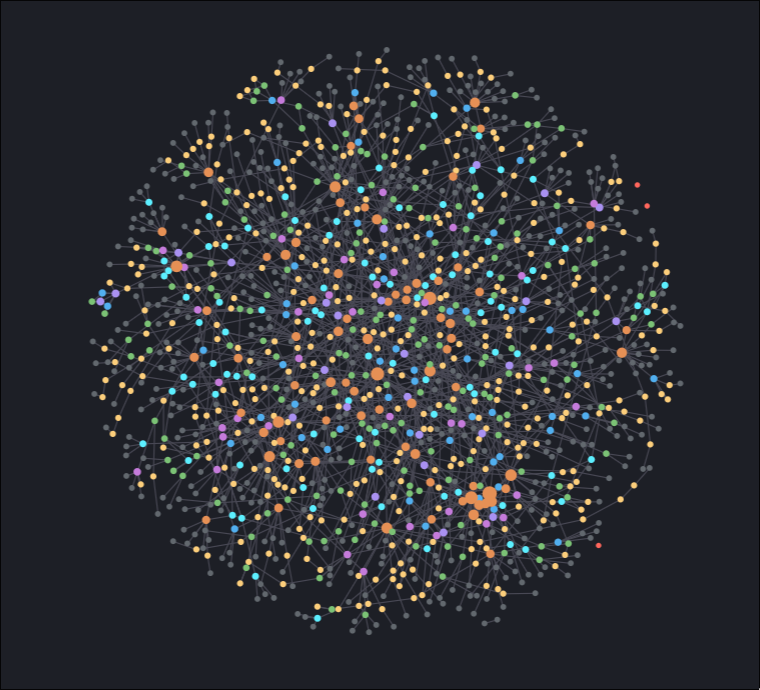
Figure 1: My Notes Collection
A lot of information about this topic is already out there, but here are some of my personal thoughts on the subject. I might update this post with new additions in the future.
1. The Problem of Stray Text Files
I have always had the problem that I would end up with dozens of random text
files on my system in various folders. Probably everybody can relate with the
good old New Textfile (5).txt or similar. At the end, you would need to collect
and read through them, in order to delete old things, keep important things, and
save them somewhere meaningful.
The reason this happens is likely to be a tooling or a process issue. I found that if you have a dedicated shortcut to add and access note files on your system, you are much less inclined to create a text file somewhere. Need to note down a small task, URL, some random bash script, or even a password? Just press the button.
There are various digital note taking tools. A popular newcomer seems to be Obsidian, which seems to look particular modern and fancy, but I personally prefer org-mode / org-roam, which focuses a bit more on tasks and lets me keep note taking plus coding within a single editor.
These tools have a rather steep learning curve, sometimes not only technical, but also resulting in starting problems about how to structure your notes and what to write where.
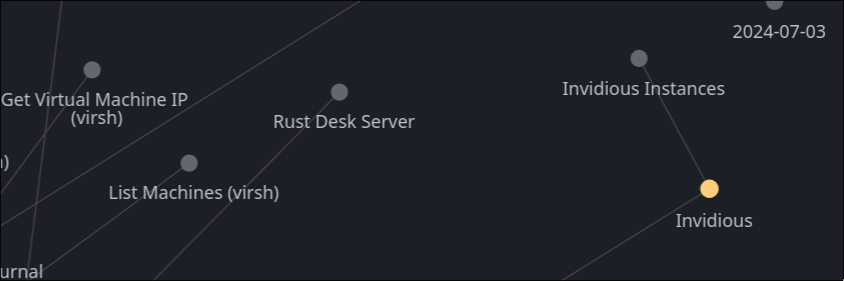
Figure 2: org-roam-ui
2. Technical Thoughts
2.1. The Hotkey / Shortcut
This is the most important one. You want to access your notes as fast as possible. Also you want to search for content in notes as fast as possible. From your desktop to the note system with a single hotkey or shortcut.
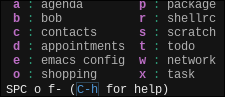
Figure 3: Emacs Key-Bindings
For several selected files, I have dedicated shortcuts set up:
- Agenda (inbox of everything)
- Todo (tasks in categories)
- Date (appointments)
- Contacts (list of persons)
- Shopping (things to buy)
2.2. Mobile App
It's no use if you can only work on your notes on your computer at home. You need to access it via mobile phone, or at least the most important files. Look for the app you need. I personally use Orgzly Revived, but I am sure there are a lot of choices.
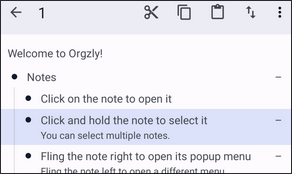
Figure 4: Orgzly Revived
2.3. Calendar
Likely you want your notes integrated in your calendar, in the case that you want to store appointments or anything with dates. How to do it depends on your specific notes system or application. You want it to appear in your mobile phone's calendar app, and notifications/reminders working. Place the calendar widget on your home view.
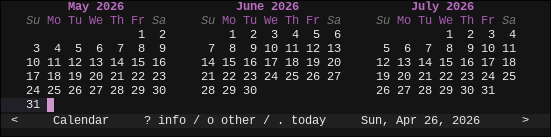
Figure 5: Emacs Calendar
2.4. Backups
Just use git and set up a script to add/commit/push daily. You will get all the cool diffs, and as long as your git server is backed up, all your git repositories are backed up. You might still want to self host that git server, otherwise you will need to entrust an external service provider with all of your important data. Hosting a Forgejo instance is not hard, but you still need a server (with backups). If you don't want to do that, you can still periodically copy the git repository to your favorite USB drive and keep the diffs.
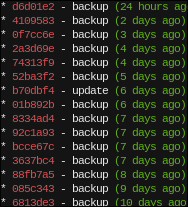
Figure 6: Git Log
2.5. Passwords
You can very well store your passwords in your notes, but they need to be encrypted. You want to sync with other devices, automatically back up the notes, you'll be leaking the passwords everywhere if they are in plain-text. Some tools like org-mode in Emacs can automatically encrypt content for you, like encrypting with GPG/Yubikey. Also in case you run into malware, you do not want it to scan for your plain text passwords in your notes (you should be scared to run npm non-sandboxes based on the rate of incidents these days). So you should best figure out how to solve this in your system, or just stick to using an external password manager.
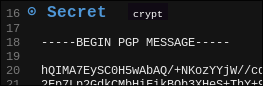
Figure 7: Embedded PGP
3. Content Thoughts
3.1. Not a Wiki
You do not want to make your own Wikipedia. If the information is easily accessible in the internet, you probably do not want to write it down. You don't need to give most topics a description. Only write something down, if you think it could be useful in the future. Focus on personal things instead. An exception might be topics you are learning about, where you create notes in order to memorize and explore things.
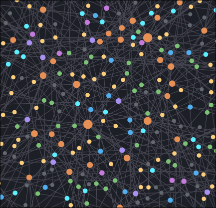
Figure 8: Many Notes
3.2. Account Information
The first thing when creating some account is to add a note for it, where I add all the details I have used within the account creation. User, E-Mail, phone number, you name it. When for example moving to a new phone number, you can just search in all of your note files for the number, and see which accounts you need to update.
3.3. Watchlists
Many people these days seem to save links to videos (favorites, or to watch) on YouTube. The things they want to buy in their Amazon account. The games they want to play in their Steam wishlist. I get that its integrated into the respective service, but it also limits you to that service, and you won't get that instant hotkey access from your notes system.
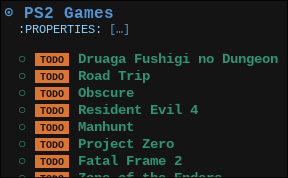
Figure 9: Everybody has a Backlog
It is useful to keep notes for each content type (video, article, tutorial, game, anime, topic, bookmark, comic, book, …) in a separate note. You can maintain categorized lists, mark them as TODO or DONE, schedule them, add notes. I call these types of notes "watchlists", even though many are not specifically about watching something. The possibilities are basically only limited by your note taking system and its plugins.
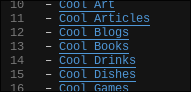
Figure 10: Collection of Collections
3.4. A Note for Everyone
Did you ever forget and had to ask someone about their address again when you wanted to visit them again after a long time? You could have added a note representing the person and written the address down. Or you want to know to what person you lent that DVD? In general it is very useful to keep track of things that way. Surely there are contact book apps, but usually it is not so easy to append additional information or link it with something else.
3.5. Daily Notes
Some note taking systems allow for daily notes. I currently do not make use of them often, but I think they can help a lot if you want to know what you did throughout the week, or if you don't know or care about where to write down something. It does not need to be perfect, as you can find most things with a word search anyways.
3.6. Connecting Everything
Periodically I look at the nodes visualization and see if there are any stray files, that are not connected to anything else. In that case, I lay down more structures and empty topic nodes, just so that I can link them together. Added a "Windows 11" note to save the workaround for the last blue-screen? Maybe add an "Operating Systems" note, that links "Windows 11" together with your previous "Gentoo Linux" installation log. I think creating these structures and linking files together based on topics and categories leads to easier integration of new notes. It also helps you exploring your notes later on.
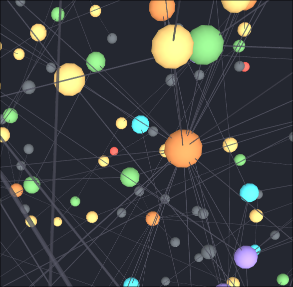
Figure 11: Connections between Notes
4. Combining Org-Roam with "Agentic AI"
I am still experimenting with this one. In general, it seems to be a nice bonus that if you keep everything in text files, you can easily integrate it with the hottest new LLM tool. Recently I have had fun with synchronizing my notes into my sandboxed OpenClaw instance, trying out different automated tasks. I am still inconclusive on this one, as its usability will only show in the long term.
As I don't synchronize all my notes to my phone, just a selective choice of them, I can query for information on my chat app on my phone. I can also set up the obligatory weekly summaries or morning info whatevers, but they can access all the context in my notes, tasks, events, only by looking at my synchronized directory. If you tell your agent to specifically look at the most recently edited files, that will also get you a long way.
In general, it seems like a nice way to connect "everything". You can ask your agent about movie suggestions, and with some luck, the agent will be smart enough to check for your movie watchlist note file and give you some suggestions fitting your mood. You can also tell your agent to mark something as done, or to add some new information. Just make sure its all properly secured. If it has access to your important notes, you want to prevent any outside access or prompt injections.
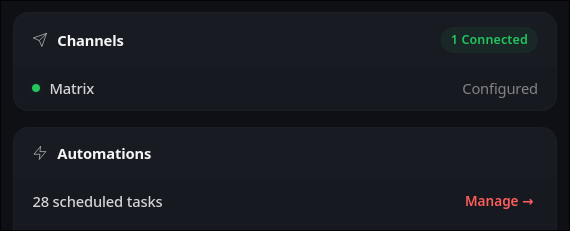
Figure 12: OpenClaw with PKM
5. Final Word
This post does not seem adequate based on the depth of the subject. My final advice is to start simple and keep extending. You first want something that works, and go on from there. The worst case is that you keep investing into a system that you won't use.